It’s 2024 and AI and LLMs have swept across the collective consciousness of everyone, so much so that it can be difficult to find a tech product that doesn’t have AI in its name somewhere.
Whenever a software developer asks “I’m interested in working with AI, what are the best technologies that I should use?” the answer would more often than not be pytorch, numpy, tensorflow, langchain, and various other libraries related to Python. While not necessarily incorrect—after all, the adjective “best” can mean several things to different people—it oversimplifies the field of AI and unreasonably limits the available software stack choices.
The Rails 8 beta was just announced at Rails World bringing with it even more “batteries-included” features such as first-party authentication scaffolding, improvements to kamal for deployments, and a slew of Solid adapters that reduces your app’s dependency on external services such as Redis or Postgresql.
With the new release making the dream of the One Person Framework closer to reality, I thought it would be a great time to dive into the aspects of Rails that haven’t really been discussed much: Turbo, the central cog in the Hotwire ecosystem.
I’ve been using a virtualized workflow for almost a year now, and it’s been great. My work for clients, projects, and specific interests is partitioned off into separate VMs in Proxmox, and VS Code’s Remote SSH plus easy port forwarding helps a lot in making the whole thing feel local.
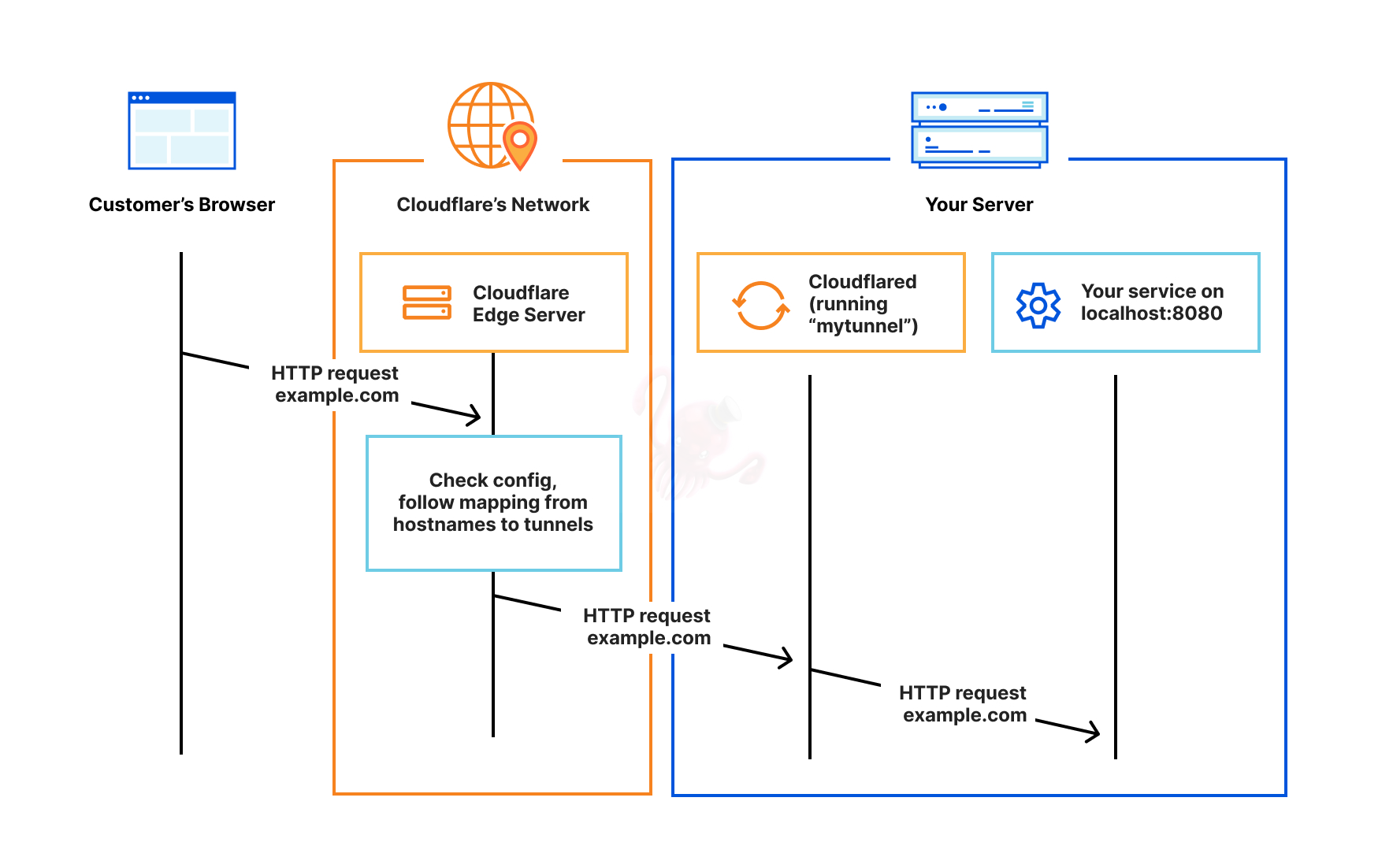
However, I recently experienced an internet interruption and felt a downside of this workflow: my VMs and Docker containers were no longer reachable. 🙁
Found an interesting authentication gem for Rails. Instead of the usual delegation to a gem (where oftentimes you’re not sure what’s actually happening), this one generates the authentication code so the author is in control of what’s happening.
From the readme:
The purpose of authentication zero is to generate a pre-built authentication system into a rails application (web or api-only) that follows both security and rails best practices. By generating code into the user’s application instead of using a library, the user has complete freedom to modify the authentication system so it works best with their app.
Just like WordPress, it’s not that I can’t do the installation myself; it’s more that the scripts are convenient and mostly do the same things I would do anyway. So I might as well take a look at a script someone else wrote (and do a cursory check) and use that instead.
Re: Readeck, it seems like a good idea, and being self-hosted, I can be sure the stuff I save won’t be lost when the hosting service goes away (I’m looking at you, Google Reader).
I have the recent posts widget, which looks good on desktop but becomes redundant on tablets and mobile devices, so I wanted to hide it on those devices. Instead of writing custom CSS, this plugin does it for me. 🙂
I just tried generating some static pages with this WordPress installation and deploying them to Cloudflare Pages. While it seemed successful (at least from the publishing point of view), it made it difficult to work with some of the plugins that make things convenient.
The Google Site Kit plugin, especially. For some reason, it refuses to use a custom domain and insists on using the current site’s URL as the domain for connecting with Google Analytics. So that means I can’t really host things locally and then generate static pages from the local site without some janky setup, like having the hosts file point this domain locally.
Moving WordPress and MariaDB to the fast cache drive makes things a bit faster.
I was wondering why working on this WordPress blog (e.g., activating themes or plugins) was super slow. Then I realized I had set the installation and database locations on the slow drives. 😕
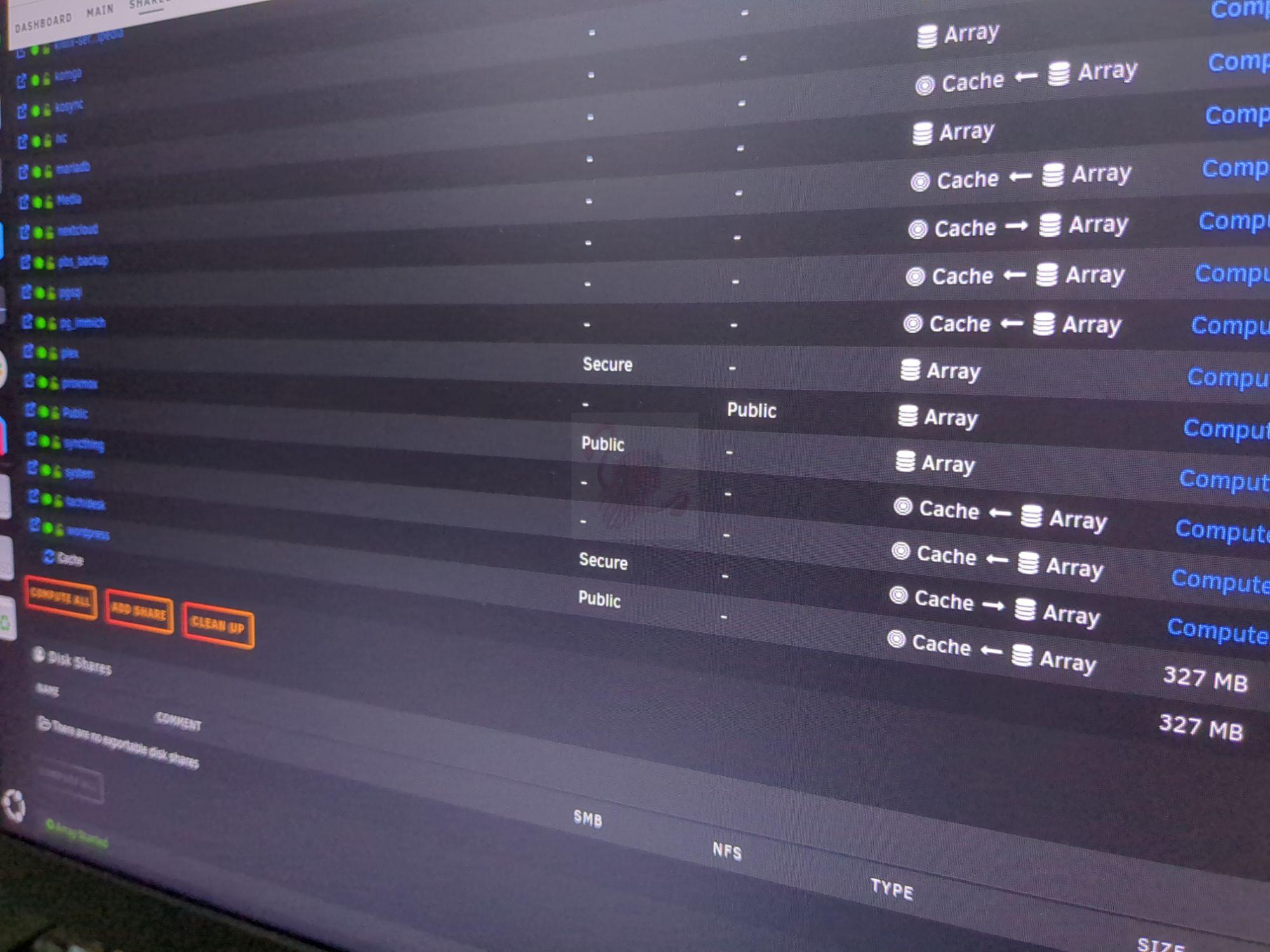
So in unRAID, I stopped docker and ran the mover (with the shared set to have the cache as primary storage, array as secondary, and the mover set from array to cache).
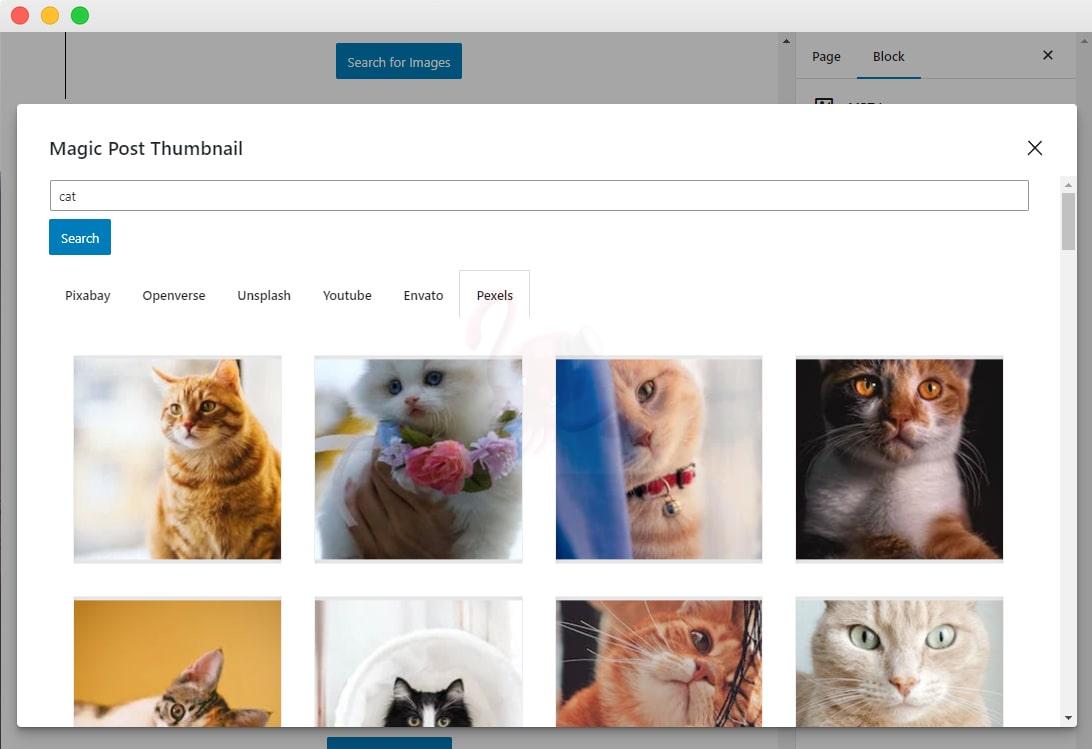
I’m also using a plugin called Auto Post Thumbnail https://wordpress.org/plugins/auto-post-thumbnail/, which uses the first image in a post as the featured image if there’s no custom featured image set. However, I also have some posts (such as this one) where I don’t really have a picture or illustration to accompany the post.
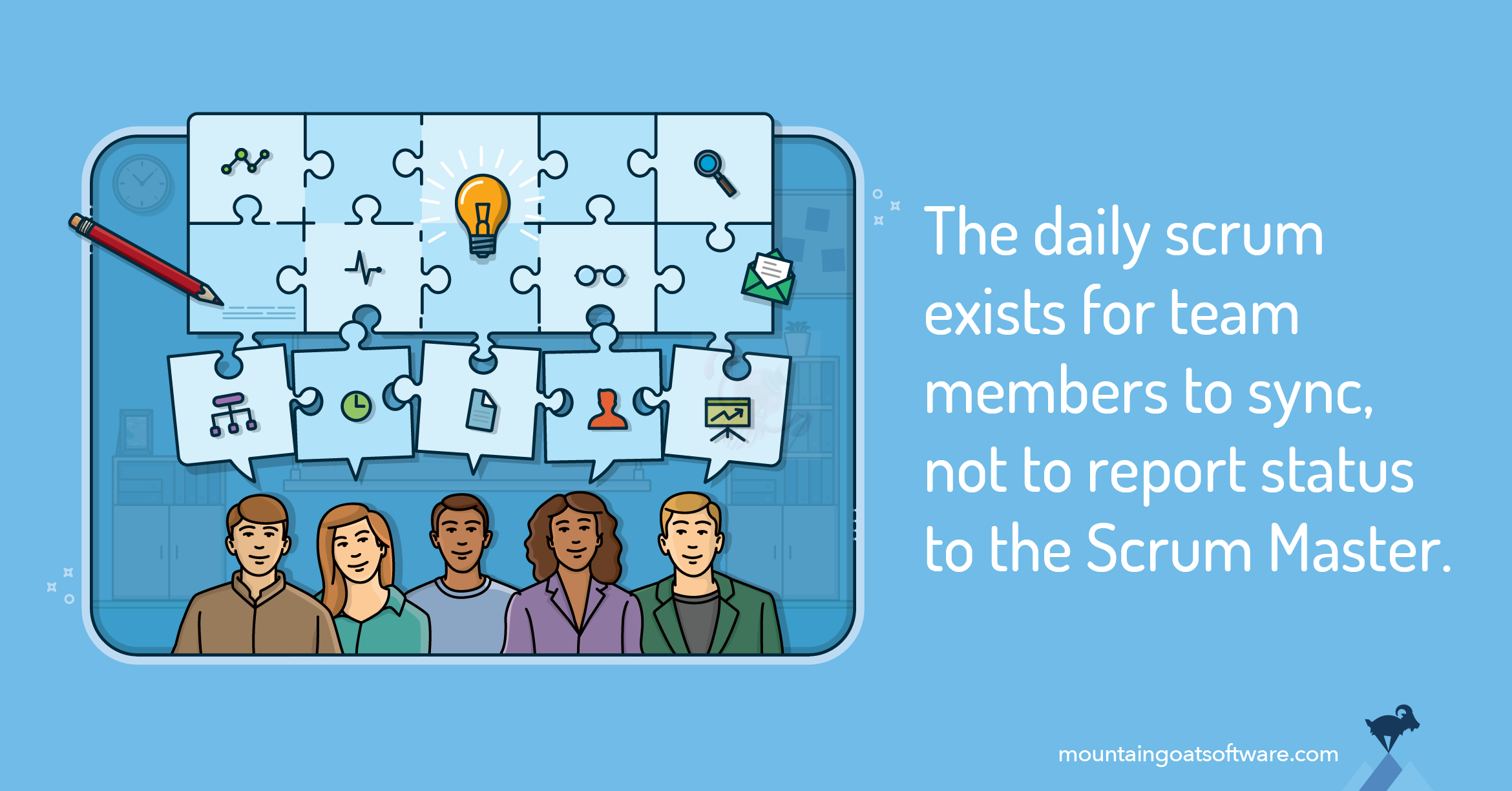
If your “product owner” demands the team update them every day and turns the Daily Scrum into a daily update, that’s not Scrum anymore.
The daily Scrum is for the team to coordinate with each other so they can work towards the sprint goal.
If the only time the product owner touches base with the dev team is through the daily “updates” provided to them, they’re not on top of things and not really doing their job.
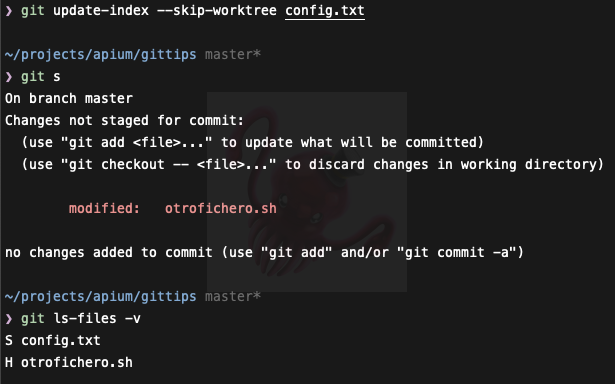
I have Obsidian on multiple machines synced via Git, and I’m always wrestling with .obsidian/workspace.json conflicts. Today I thought, “Enough is enough,” and decided to fix this.
Looks like with this option, I can set it so that local changes are persisted even if the remote file has changed.
I use Ubuntu Snap to install Ruby on my development machine (because it’s easy), and today I learned that the gem binaries are installed in ~/.gem/bin.
That means I just need to add this to my PATH to use the binaries. I had to do this to get the syntax_tree gem executable to be found by VS Code.
One of the requirements we had in a recent project was to mark certain inputs as required and have the user shown a validation message in case the form was submitted without the required input filled in.
This wasn’t a huge problem, since almost all html input tags accept the required attribute and by setting that attribute, will automatically display a native validation message.
It even works with radio button groups too, where a radio button group can be setup to require one of the options to be selected before the form can be submittable.
After getting the GPD Win Max 2 and using it as my everyday machine both for work and personal use, I’ve started following the philosophy of not installing any project dependencies locally and instead leveraging containerization technology (mostly via Docker). I’ve talked about this in a previous post, and you can probably think of this post as an improvement on top of that.
I’ve been successfully using this pattern for both work projects and personal ones, and I thought I’d share it.
I needed to analyze some data about the costs of my client’s current CI system, and CircleCI’s insights dashboard—while impressive—isn’t quite up to the task.
Sometimes you just need the plain old “spreadsheet analysis technique” to make progress.
Here’s a quick Ruby script I wrote to get data from all the workflows for a particular project and write it to a CSV file for easy import into a spreadsheet program.
In part 1 we saw that while deduplicating JavaScript arrays containing primitive values for its elements can be quite straightforward, dealing with objects as elements of an array can be a bit tricky.
To recap, trying to deduplicate this array fails with the various techniques we presented (but we’ll use the Set technique here)
One of the features we wanted to add to the company website was the ability to tag and filter posts so that these posts can then be displayed in their own index page. That meant that we needed to read through all the YAML frontmatter, collate the tags into a collection, then deduplicate the collection so we can create an index page per tag.
We set out to do just that, until we hit a snag: what’s the best way to deduplicate a JavaScript array (since the website was using Next.js)?
We faced an interesting issue while getting one of our client’s applications ready for production. We needed to add a different Google Analytics tracking code for production servers, so the marketing dashboard is not polluted with staging and development data.
Normally this is a very straightforward task: use an environment variable to represent the tracking code and set the corresponding tracking code for the environment. So theoretically, something like this should work:
It’s that time of the year again when I get a larger drive, refresh my operating system, and back up important files.
Ever since I’ve settled on having my home folder always be on a separate drive, it’s been really easy to change operating systems, and even moving to a different (more powerful) computer isn’t as much of a chore. If I need to upgrade storage capacity, I just copy everything in my home folder onto the new drive (either by imaging or using rsync) and then make sure that, when I set up the new OS, the new drive is mounted in /home.
One thing that’s been really convenient for me is the ability to move database data along with my home folder. This has been largely because I’ve been using Docker (and Docker Compose) more and more in my projects.
Braintree recently released v3 of its JavaScript SDK, offering a lot of improvements. Search results for tutorials on how to integrate Braintree with Rails tend to show older articles, so I decided to write an updated one. :)
This is the talk I presented during the first Ruby Conference in Kuala Lumpur, Malaysia. It’s not a word-for-word transcription, but this is mostly the same material I wrote to prepare for the talk.
The secret to creating cross-platform apps is something you already know, but probably aren’t doing.
Whenever you use a method that you know might throw an exception when it shouldn’t, the rescue-log-rethrow pattern is useful for figuring out what happened while preserving the contracts implied in the code.
TDD’s mantra is the following: Red, Green, Refactor. In other words: write a failing test, write code to make it pass, and then make the code better (with the test as a safety net).
Note that some of the information on the diff presented here has been redacted or removed, due to it being proprietary. But the full idea of the refactoring is present.
While working on some code for the Zuora SOAP API, I got bitten by a strange case of inheritance behavior. It seems this is related to what self is bound to during the execution of the statement. Here it is, distilled to its essentials:
We’ve commissioned Dekatku to train some developers here at Mindvalley in JavaScript, and it’s been a great experience so far! Today is Day 2 of the training, and we’ve covered some really deep topics.
I’ve started wearing my whitebelt again, and I thought I’d put up my thoughts and notes here for future reference.
I was working on a feature for upcloudify that would use Slack notifications instead of email notifications. One of the challenges I faced was how to build in flexibility for generating messages. I wanted users to be able to provide their own custom notification message and placeholders for items like the S3 download link.
Opal is a Ruby-to-JavaScript compiler, and OpalBox is a jQuery plugin for easily creating a textarea where you can enter and run Ruby code.
I just added OpalBox to this blog, and it’s been quite interesting. I’ve learned how to resize a textarea based on its content (you need JavaScript to do that because CSS just doesn’t cut it), and I’ve added a shortcode.
A Code Climate article gave a number of ways to decompose fat ActiveRecord models, and one of them was Extract Query Objects. I’ve been trying to get familiar with a good standard for implementing query objects, and here’s my take.
I’ll be trying out a new format in these articles. I’ll use a Q&A style similar to Socratic questioning.
I fat-finger my code a lot and produce a lot of typos. I do test-driven development, so it’s not as bad, but what’s annoying is when I typo a hash key and the test fails because of a nil, resulting in a very confusing error message.
I wanted to make a Rake task that would accept something like 1.month or 1.day as one of its arguments. The immediate tool I reached for was eval, and it worked like a charm. However, Code Climate (the tool we use for static analysis) complains about eval, and understandably so; the use of eval is dangerous and can lead to security vulnerabilities.
I’m using it inside a Rake task that is never exposed to third parties. Anyone malicious enough to run the task with a bad parameter to be evaluated would already have access to the system, and could wreak even greater havoc than by running malicious code through the task. I believe this is an accepted risk scenario, and Crystal (one of my colleagues who was reviewing my code) suggested that, since I had a valid point, I could turn off the Code Climate check for this particular instance.
I thought that was justified, but I also thought it was a slippery slope. I’m sure there are ways to pass in a string and have it dynamically interpreted, without having to expose the system to a security vulnerability.
Some time ago I wrote about how I set up my machine so I could program hassle-free in Ruby while running Windows. It was more of a reminder to myself than anything, in case I ever needed to set things up the same way again.
Fast forward to 2015. When a colleague saw my workstation and realized I was running Windows, he was quite surprised and asked me how I was doing it. I thought of pointing him to my old blog post, but I felt that:
It was outdated (the setup described was from 2012, written in 2014)
It was incomplete (it’s just a checklist of what I’ve installed)
I’ve improved on the whole setup since, and I thought it’s time to share the whole updated setup so that anyone else interested can benefit.
I had to create an automated report for finance and accounting that would send particular columns and their data in a CSV once a month.
Being the lazy developer that I am, I tried looking for code that already existed. I was planning to wrap that code in a Rake task and use whenever to schedule a cron job to send the report monthly.
While I was able to find pre-existing code that did what finance wanted (I also checked with them that the output showed what they needed), the code itself wasn’t easily convertible to a Rake task.
While working on a feature, I was wondering why my test was returning zero records when I’m quite sure the query was written properly (it was just a very simple query about a date range).
One of the best things you can do during your hackathon presentation is to have your hack available on a publicly accessible platform. You can definitely just host your app on your local machine for the demo, but it is more powerful and impressive if you can involve everyone else in the room and get them to play with your hack during the demo.
It’s a model where every 18 months, there’s a new focus on the chip architecture: the tick is a shrinking of the chip (which requires retrofitting the manufacturing process to support the smaller size), and the tock is an upgrade of the architecture itself using the current manufacturing process.
This is largely obsolete. I have set up a new process to deploy to Amazon S3, and I recommend it over GitHub Pages.
I’m currently moving my blog posts (and collecting entries from various blogging platforms) into Hugo. In case you’re wondering how I’ve set mine up, here’s a guide to what I’ve done.
Yet again, I’ve ported my blog to yet another blogging platform—Hugo. I feel strongly that I’ll be staying on this platform for quite some time, so I’ve been porting over posts from my other blogs.
It’s quite an interesting blogging platform. It outputs static files, which means hosting options are very cheap with a wide variety of providers.
I was invited to pressent at the KL Ruby Brigade and I thought I shuld mix things around by talking about something not very technical but still very much relevant to the audience.
Since I’m in charge (but saying “in-charge” is a bit of a misnomer since in Mindvalley we don’t really have predefined job descriptions) of the internship program for new tech hires, I figures I should share some of the things I consider when interviewing and hiring people.
A friend asked in my Ruby Facebook group about a problem he was having that I think I’ve encountered before (or will encounter in the future). It’s about having to retrieve data associated with a join table.
Here’s the question:
I have set ActiveRecords models like these
I want to do something like current_user.boards.first.role which I expect to load the membership details of current_user AND the first board. Do you have any idea how can I achieve this? Do you suggest another approach?
I’m still in the middle of writing this article, and I probably will be always updating this.
I’ve just recently (re)installed Linux on my Acer V5 122p. Had to fiddle around with UEFI settings thinking to preserve my Windows 8.1 partition, but eventually I had to bite the bullet. I wiped the whole partition clean and turned off UEFI so my installation would be a lot simpler.
TL;DR
Use Swagger and Grape to create self-documenting APIs that automatically update themselves from metadata in the code. It also provides an API explorer to play around with.
During the AngelHack KL event, I (being the backend developer of the team) had to create an API to facilitate communication between the iPhone app and Twilio. Since it was a hackathon, there was not a lot of time to completely hash out API protocols (as well as explaining to my team mates how RESTful APIs work).
I was able to solve this by using Grape and Swagger. I can develop the API at my own time. When a particular endpoint was finished, I can push to production and my team mate is immediately able to see the documentation. He was also able to make use of the API explorer to test out the API’s responses to his queries.
We were able to quickly develop the whole project quickly and easily because of this, and here’s a quick look at using Swagger with Grape.
Paul Graham’s (of YCombinator fame) essay on the difference between the Maker’s Schedule and the Manager’s Schedule is a timeless piece of advice that is sadly not as well known as it should be. The essay provides an interesting, if not logical reason behind why programmer’s skip meetings called by managers, while managers often tend to interrupt programmers.
Here are some of the important points in his essay:
One of the most often used and ironically least understood concepts in the Ruby programming language is the block. If you’ve used one of the Enumerable mixed-in objects, you’ve encountered the block syntax.
It’s always easier to deal with a ruby binary that’s installed server-wide rather than a local user installation (done via rvm or rbenv). Server initialization scripts don’t need to do path magic and profile sourcing in order to find the correct binary. Here I how to install ruby-2.0.0-p195 in a way that your system administrator will love you for.
Here I show how to perform a rolling restart using Capistrano, and making sure that the load balancer (in this case Linode) properly reroutes traffic to the still-running servers while the others are being restarted.
WARNING
I’m still ironing out a few bugs for the rolling deployments. The issue appears to be that Capistrano executes deploy:create_symlink in parallel so the apps still experience downtime before the restart happens. The concept itself is sound but the code is not yet production ready!!
PrivatePub is an awesome gem by the renowned Ryan Bates of RailsCasts fame. It provides an easy way to use Faye as a pub/sub provider. Watch this episode to see it in action.
You don’t have to bundle the gem with a Rails application, though; you can deploy PrivatePub as a standalone Rack application on Heroku. This allows you to run PrivatePub in a web dyno instead of a worker, making maintenance easier (by separating repositories/codebases) and saving on hosting costs as a side effect.
At Mindvalley, employees can have any kind of hardware/software they want, provided that they can prove it is necessary for the work they’re doing or that it increases their productivity. In my case, I opted for the setup shown here (picture courtesy of my colleague):
I just bought a VPS (virtual private server) a couple of days ago, and I’m enjoying tinkering with it. It’s not the most powerful beast, though; it only has 64 MB of RAM and 128 MB of swap. I won’t say the name of the company I’m subscribed to since my box isn’t exactly a bastion of security, but you should be able to discern the shell provider from how I describe my escapades. :D
While mucking around on my computer and generally getting bored, I found a few neat programs to install. They’re really cool, and your Linux computer shouldn’t be without them. :)
Firefox AdBlocker - blocks ads from websites. Definitely heaven sent, as browsing becomes faster without all those ads being loaded (the extension dynamically modifies the page to comment out the ads, so they don’t get rendered). You can get to choose which ones to block too. Get the AdBlocker and teach those popup advertisers a lesson.
Yakuake - cool Konsole for KDE. Anyone who has played Quake would recognize the interface. No need to reserve a space for the taskbar entry in the main panel. Plus, a terminal emulator is just one keypress away. :)
KDE WorldClock - a nice way to impress your friends by showing them that you are a “Citizen of the World.” Set this as your desktop background, and you’ll immediately know if it’s day or night in a particular region of the Earth.
My data drive had some filesystem tree corruption, and I was forced to rebuild it. I figured I’d just reinstall Kubuntu too, since I inadvertently installed Ubuntu Desktop, which kind of doubled the number of applications on the menu.
Here are some of the things I did to remind myself in case my system crashes again:
Make a dos partition writable - the options in fstab for the partition should be: user,exec,rw,umask=000 0 0
Get Automatix and install some of the necessary non-free software
Install packages used for compiling source code: sudo apt-get install build-essential
I’ll add to the list as I walk through the rebuilding of my settings.